
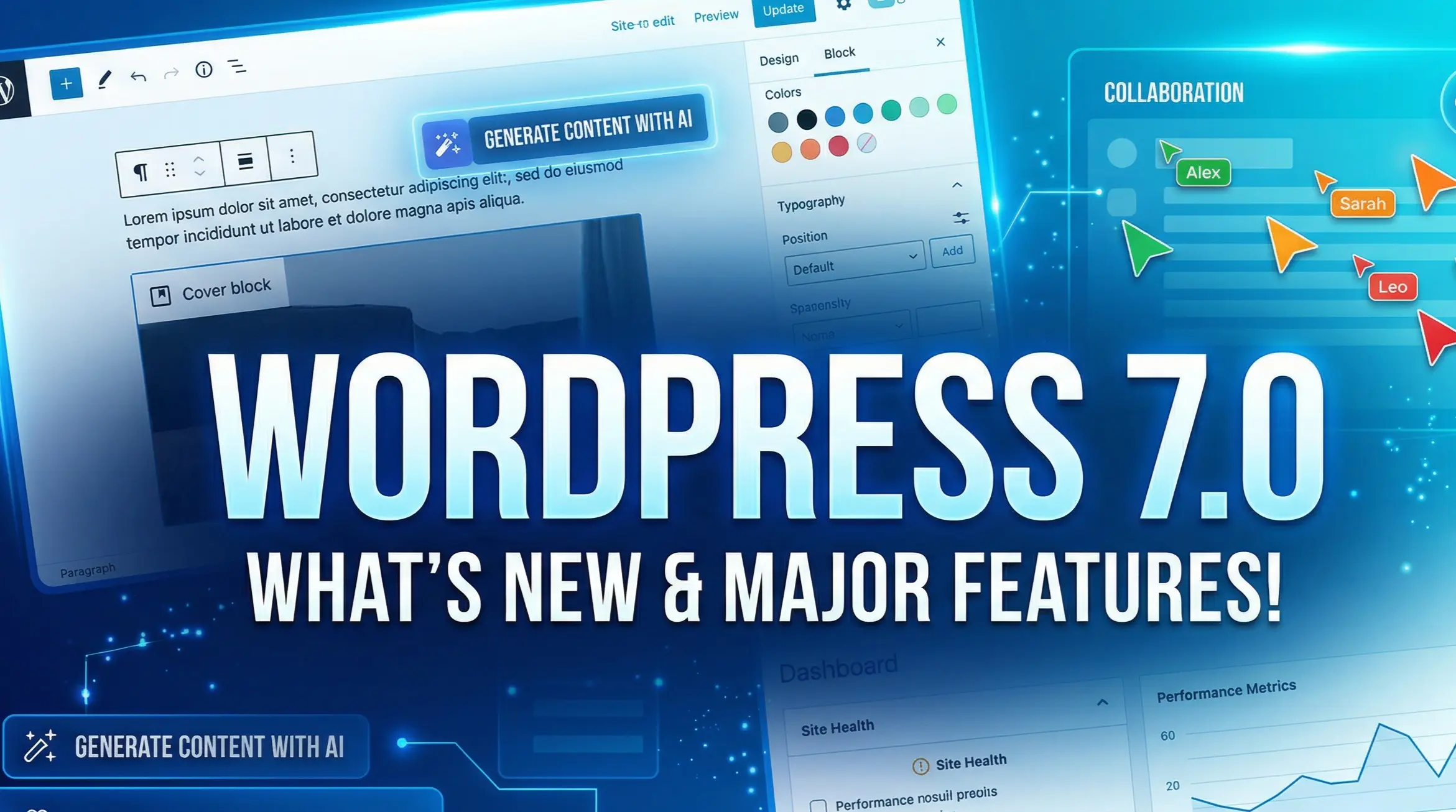
With the highly anticipated release of the newest major core update, WordPress 7.0 features represent one of the most architecturally significant shifts in the platform’s history.
Officially kicking off “Phase 3: Collaboration” of the Gutenberg roadmap, WP 7.0 transforms the CMS from a single-player publishing tool into a real-time, multi-user workspace. But it doesn’t stop there. By reading this guide, you’ll discover exactly how to leverage the new AI infrastructure, the modernized admin dashboard, and massive client-side performance boosts to scale your agency workflows and prepare for WordCamp Asia 2026.
For latest any update please check their officers site
The Path Forward for WordPress 7.0
1. Real-Time Collaboration: The End of Post Locks
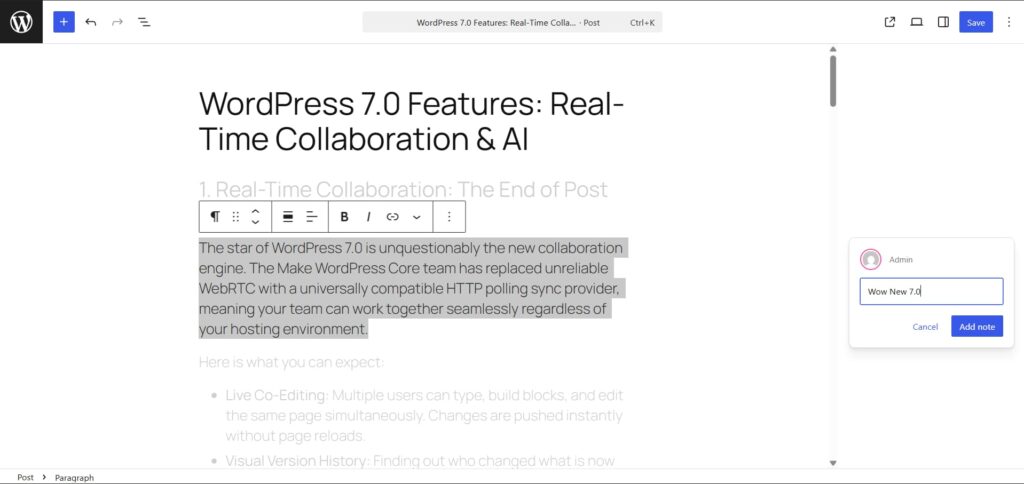
The star of WordPress 7.0 is unquestionably the new collaboration engine. The Make WordPress Core team has replaced unreliable WebRTC with a universally compatible HTTP polling sync provider, meaning your team can work together seamlessly regardless of your hosting environment.
Here is what you can expect:
- Live Co-Editing: Multiple users can type, build blocks, and edit the same page simultaneously. Changes are pushed instantly without page reloads.
- Visual Version History: Finding out who changed what is now incredibly visual. The revision history features a timeline slider with color-coded overlays (green for added, red for removed, yellow for modified).
- Robust Block Comments: Say goodbye to external Google Docs for feedback. You can leave notes directly on specific blocks and use @mentions to trigger dashboard and email notifications for your team.
2. The Modern Admin Redesign: Hello DataViews
The legacy WordPress List Tables—the way you’ve viewed posts, pages, and media for over a decade—are being progressively retired. Welcome to the era of DataViews.
- App-Like Interface: DataViews allow for instant inline filtering, sorting, and grouping without annoying page refreshes.
- Universal Command Palette: The quick-search Command Palette has escaped the block editor. It now lives in the top Omnibar across the entire WordPress admin, allowing you to instantly search posts, settings, and plugins from anywhere.
3. Block Editor and Design Tool Enhancements
WordPress 7.0 brings heavy-hitting tools for web designers and agencies looking for granular control:
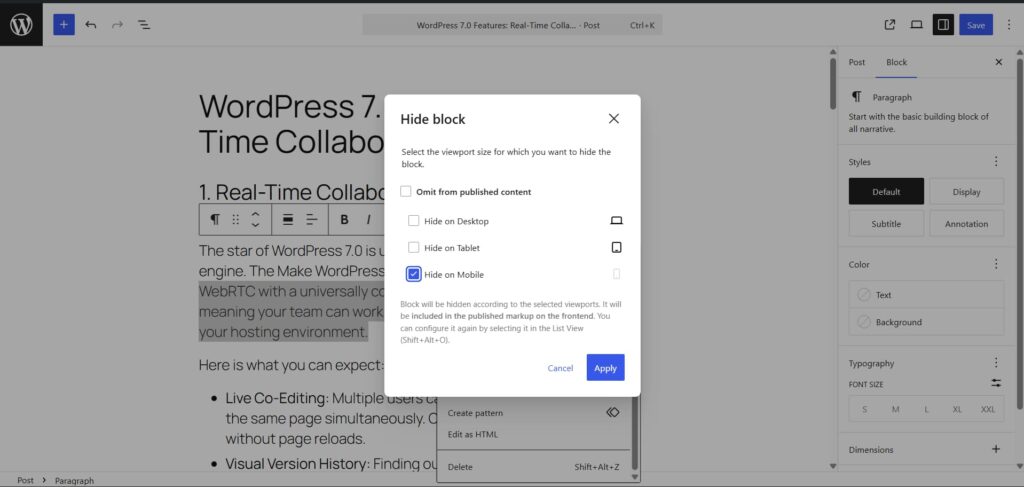
- Responsive Controls: You can natively hide or show specific blocks based on device size (mobile, tablet, desktop) right from the editor.
- Advanced Typography: Flow a single paragraph across multiple columns natively, or use native text-line indents without bloated third-party plugins.
- Aspect Ratio Locking: Lock your images to a specific ratio to ensure client uploads never break your grid layouts.
- Pseudo-Elements in theme.json: Style
:hover,:focus, and:activestates directly in yourtheme.json, reducing the need for massive custom stylesheets. - Native SVG Icon Block: A highly requested feature! Designers can natively insert SVGs, backed by a new server-side REST endpoint (
/wp/v2/icons).
4. Client-Side Media Processing for Faster Sites
Slow image uploads and heavy server loads are a thing of the past.
WordPress 7.0 introduces Browser-Level Optimization. Before an image even hits your server, WordPress will resize and compress it directly in the user’s browser. It supports modern, ultra-fast formats like WebP, AVIF, and MozJPEG. This means smaller image file sizes, faster upload times, and significantly better Core Web Vitals out of the box.
5. Standardized AI Integration Infrastructure
While WP 7.0 doesn’t ship with a native AI text generator out of the box, it provides the vital plumbing for the future of AI in content creation.
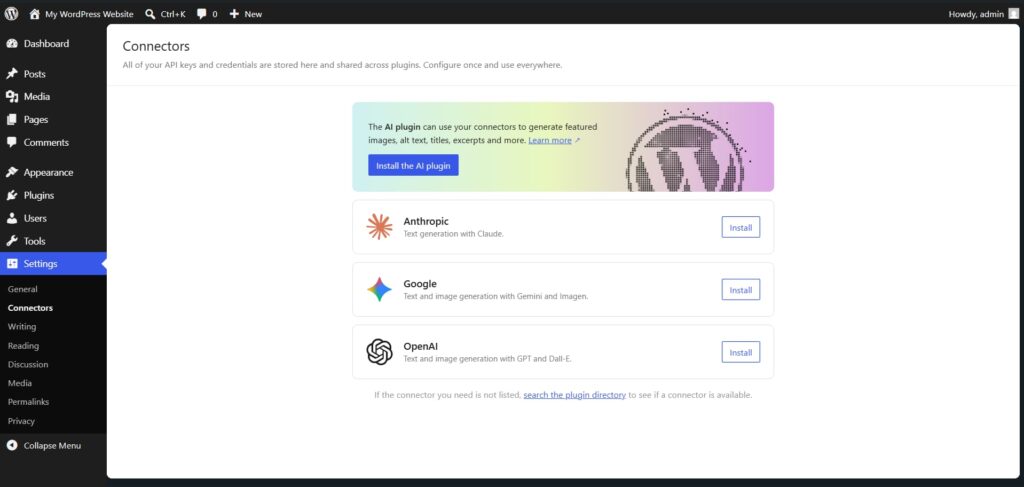
It introduces a standardized, provider-agnostic API via the php-ai-client package. What does this mean? Developers can write features against a shared interface rather than hardcoding to just one AI. Three official provider packages will be in the Plugin Directory on launch day:
- OpenAI
- Anthropic
A new “Connectors” screen in the Core admin will handle credential management securely.
6. Developer-Focused Upgrades (PHP, API, & WP-CLI)
If you are scaling an agency like EZEPTI, you need to know about the under-the-hood changes:
- PHP-Only Block Registration: You can now register fully functional blocks entirely with PHP using the
autoRegisterflag. Say goodbye to strict JavaScript build pipeline requirements! - Interactivity API Updates: The
state.navigationfunction is officially deprecated. Upgrade to the newwatch()function and server-sidestate.urlpopulation. - wp-env Upgrades: The Playground runtime now achieves feature parity with Docker by natively supporting phpMyAdmin. Just add
"phpmyadmin": trueto your config. - WP-CLI 3.0 Previews: Get ahead with new
wp blockandwp abilitycommands.
Note on Patterns: By default, Block Patterns now open in “Content-Only” mode to reduce UI clutter for clients. Use the
disableContentOnlyForUnsyncedPatternsfilter to disable this if needed.
7. Minimum Requirements
Before you click update on April 9th, ensure your server is ready.
Minimum Server Requirements:
- Dropped Support: PHP 7.2 and 7.3 are no longer supported.
- Minimum Required: PHP 7.4.
- Strongly Recommended: PHP 8.3+ (for maximum performance).
Frequently Asked Questions (FAQ)
When will WordPress 7.0 be released?
WordPress 7.0 is scheduled for official release on April 9, 2026. The release marks the beginning of Gutenberg Phase 3, which focuses on collaboration features. but this date is delayed now because the sum is using the new features it is good to check their official site always for more information
What is the biggest feature in WordPress 7.0?
The biggest feature is real-time collaborative editing. Multiple users can now edit the same post or page simultaneously without locking each other out and also AI features is include.
Does WordPress 7.0 include AI features?
WordPress 7.0 does not include built-in AI writing tools, but it introduces AI integration infrastructure. This allows plugins and themes to connect with AI providers like OpenAI, Google, and Anthropic.
Does WordPress 7.0 change minimum PHP requirements?
Yes. WordPress 7.0 now requires PHP 7.4 or higher. PHP 8.3 or newer is recommended for best performance and compatibility.
Will WordPress 7.0 affect existing websites?
Most websites will continue working normally. However, sites running older PHP versions or outdated plugins may need updates before upgrading.
Should I update to WordPress 7.0?
Yes, updating to WordPress 7.0 is recommended after testing. It improves collaboration, performance, editing experience, and future AI compatibility.
If you’re interested in the event, what to expect, and why it matters for developers and agencies, you can read my full write-up here: WordCamp Asia 2026
Conclusion: Embrace the Collaborative Future
The transition to Phase 3 of Gutenberg is finally here. By removing editing bottlenecks, modernizing the admin panel with DataViews, and laying the groundwork for standardized AI integrations, WordPress is proving once again why it powers over 40% of the web.
Prepare your staging environments, update your PHP, and get ready to experience a significantly faster, team-focused workflow.
What feature are you most excited to try out? Are you ready for real-time collaboration, or are you more excited about the native SVG block? Let us know your thoughts in the comments below!
2 Comments
Comments are closed.

[…] New post WordPress 7.0 Features: Real-Time Collaboration & AI With the highly anticipated release of the newest major core… Read now → […]
[…] New post WordPress 7.0 Features: Real-Time Collaboration & AI With the highly anticipated release of the newest major core… Read now → […]