
When most developers talk about hosting their own AI, they usually focus on saving money or avoiding rate limits. But for me, those are secondary. The real value of running a Local LLM with Ollama is the deep learning that happens when you build the infrastructure yourself.
I wanted to know how a model handles tokens on a limited VPS, how to secure the connection, and how to wrap it in a custom logic layer.
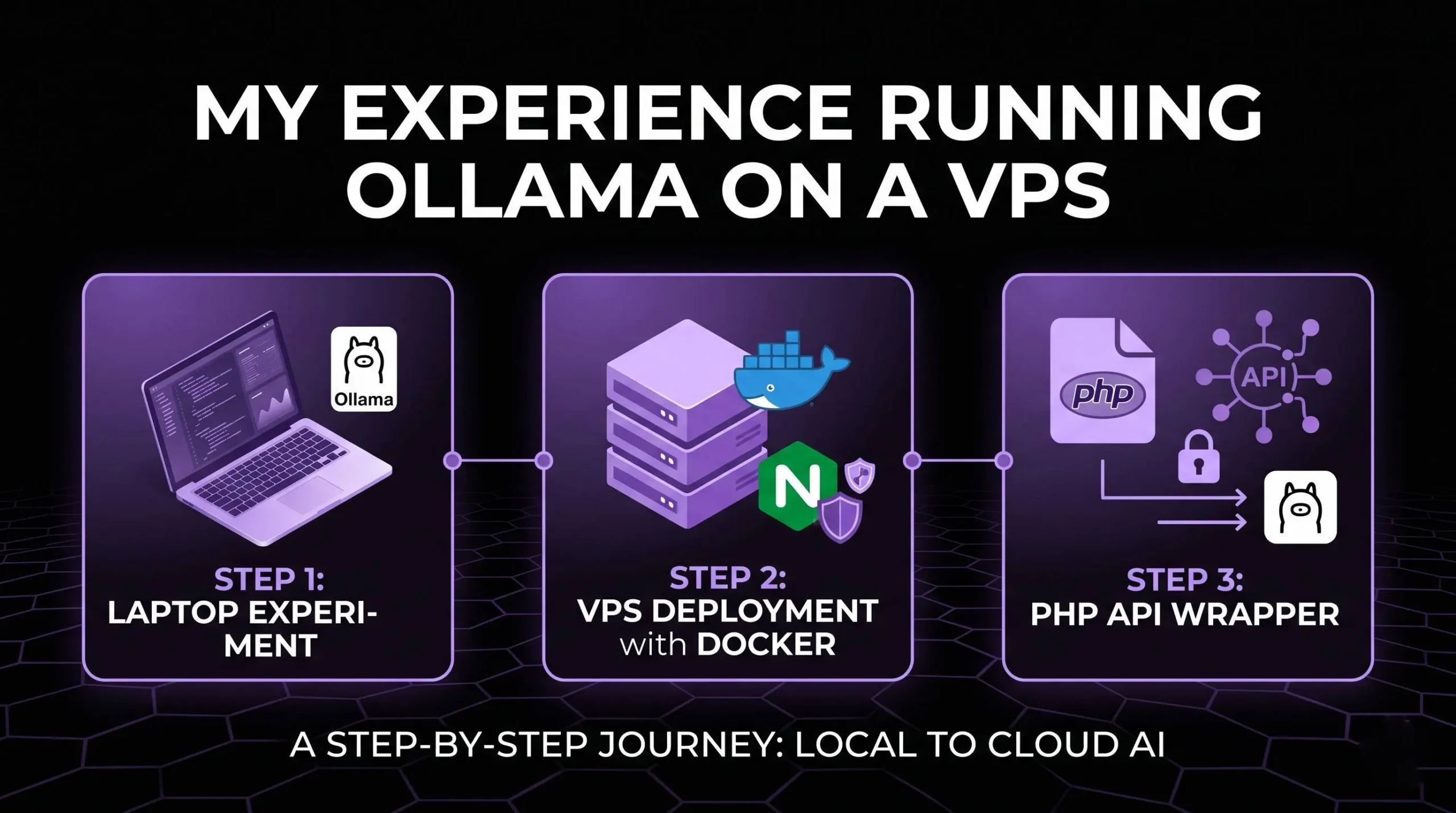
Step 1: The Laptop Experiment
Before jumping to a remote server, I started exactly where you should: on my own laptop. This is the ultimate sandbox for Local LLM with Ollama.
- Why start locally? It’s zero cost and provides instant feedback on how different models (like Gemma 2B or Llama 3) perform on consumer hardware.
- Tooling: I used the native Ollama CLI to test inference speeds.
- The Workflow: Download a model > Run the prompt > Observe the RAM/CPU usage.
Once I understood the basic resource requirements, I was ready to move the setup to the cloud.
Step 2: Deploying to a VPS with Docker
To make my AI accessible 24/7, I moved the setup to a Virtual Private Server (VPS). For a clean and reproducible environment, Docker is non-negotiable.
The Setup Flow:
- Install Docker: Keeps the Ollama environment isolated from the server’s OS.
- Pull the Ollama Image: I used the official image to ensure stability.
- Reverse Proxy with Nginx: I used Nginx to handle incoming traffic and point it toward the Docker container.
- Security: This is critical. You cannot leave the Ollama port (11434) open to the world. You need a layer of protection.
Step 3: Building a Custom PHP API Wrapper
This is where the experiment became a real system. Instead of exposing the Ollama API directly to the frontend, I built a lightweight PHP middleware layer.
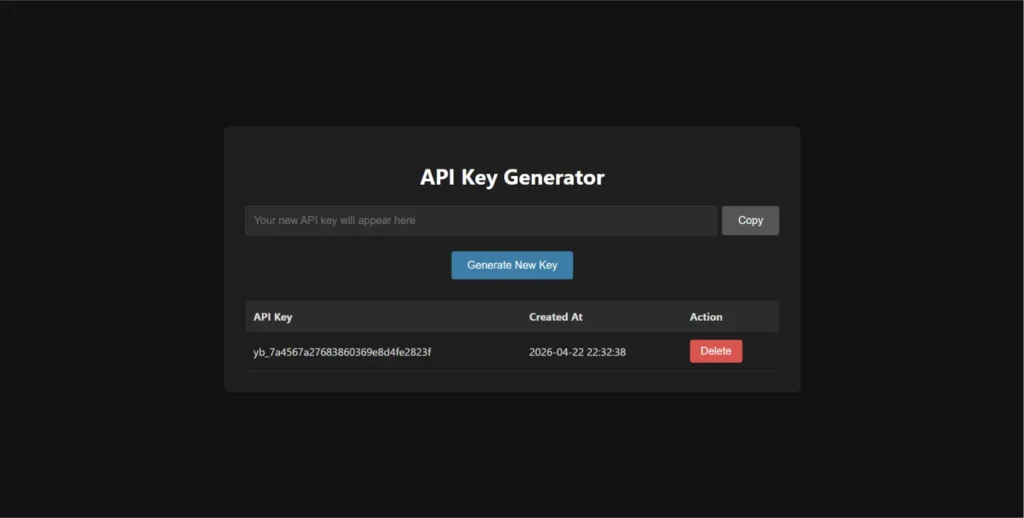
Why use a PHP wrapper instead of direct Ollama access?
Security
The raw Ollama port should never be publicly exposed. The PHP API acts as a protected layer where I can:
- validate requests
- manage API keys
- restrict access
Flexibility
Instead of connecting apps directly to Ollama, I can use my own endpoint like:aitest.yashbarochiya.com
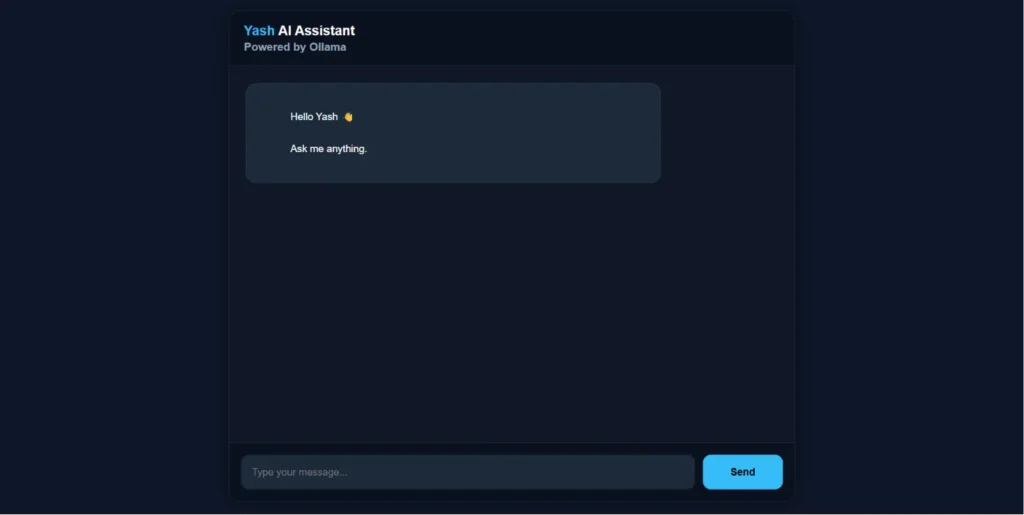
This creates a more scalable architecture where the backend controls how the AI model is accessed internally.
Hardware Reality: The 2-Core VPS Challenge
Let’s talk about performance. I tried running this on a 2-core VPS.
- The Verdict: It is not for production. While a 2-core setup can run a small model like Gemma 2B, the performance is slow. It’s perfect for learning the “plumbing” of the system, but for a real business use case, you need more power (GPU-optimized servers).
- The Lesson: This experiment taught me exactly where the bottlenecks are—specifically in the token generation speed when CPU resources are low.
Can a small local AI model replace ChatGPT for client chatbots?
No. Small models like 2B or 3B parameter models are mainly useful for experiments, small tasks, lightweight assistants, or learning AI infrastructure.
They are not comparable to large cloud models like ChatGPT or Gemini in reasoning, memory, and overall intelligence.
For real business chatbots, developers usually combine local models with:
- RAG (Retrieval-Augmented Generation)
- Vector databases
- Custom datasets
- External APIs
- Logic layers
The AI model itself is only one part of the system.
Why do developers use RAG with local LLMs?
A local LLM only knows the information it was trained on. It does not automatically understand your business, documents, or live company data.
That is why many developers use RAG systems.
RAG allows the AI to:
- Read custom documents
- Search company knowledge
- Access updated information
- Respond using business-specific data
Without RAG, the model can only answer from its original training knowledge.
Interested in AI infrastructure experiments? Also read:
Agentic AI: The Era of Smart AI Agents — a simple breakdown of how modern AI agents are moving beyond chatbots and starting to interact with real tools, workflows, and software systems.
FAQ: Local AI Hosting
Can I run a local LLM with Ollama on my own server?
Yes! Using Docker is the best way to get started on a VPS. It provides an API-like experience that you fully control.
Is a 2-core VPS enough for AI?
For learning and testing small models, yes, while a 2-core setup can run a small model like 2B Models, the performance is slow. You will need higher specs or a GPU to get fast response times.
Why not just use ChatGPT or Gemini?
Because you don’t learn the infrastructure. Hosting locally teaches you about API security, resource management, and RAG (Retrieval-Augmented Generation) setups.
Actionable Tips
- Use Small Models: If you are on a VPS, stick to 2B or 3B parameter models like Gemma to keep it functional.
- Secure your Endpoints: Never expose your raw Ollama port. Use a PHP or Node.js middleman to handle auth.
- Monitor RAM: AI models are hungry. Use tools like
htopto watch your VPS resources in real-time.
Conclusion
Mastering a Local LLM with Ollama is about more than just code; it’s about understanding the future of private AI. While a 2-core VPS has its limits, the knowledge you gain by building your own API wrapper and managing your own server is invaluable. Start small, experiment on your laptop, and eventually, you’ll be ready to build complex, business-ready AI systems that you own entirely.