
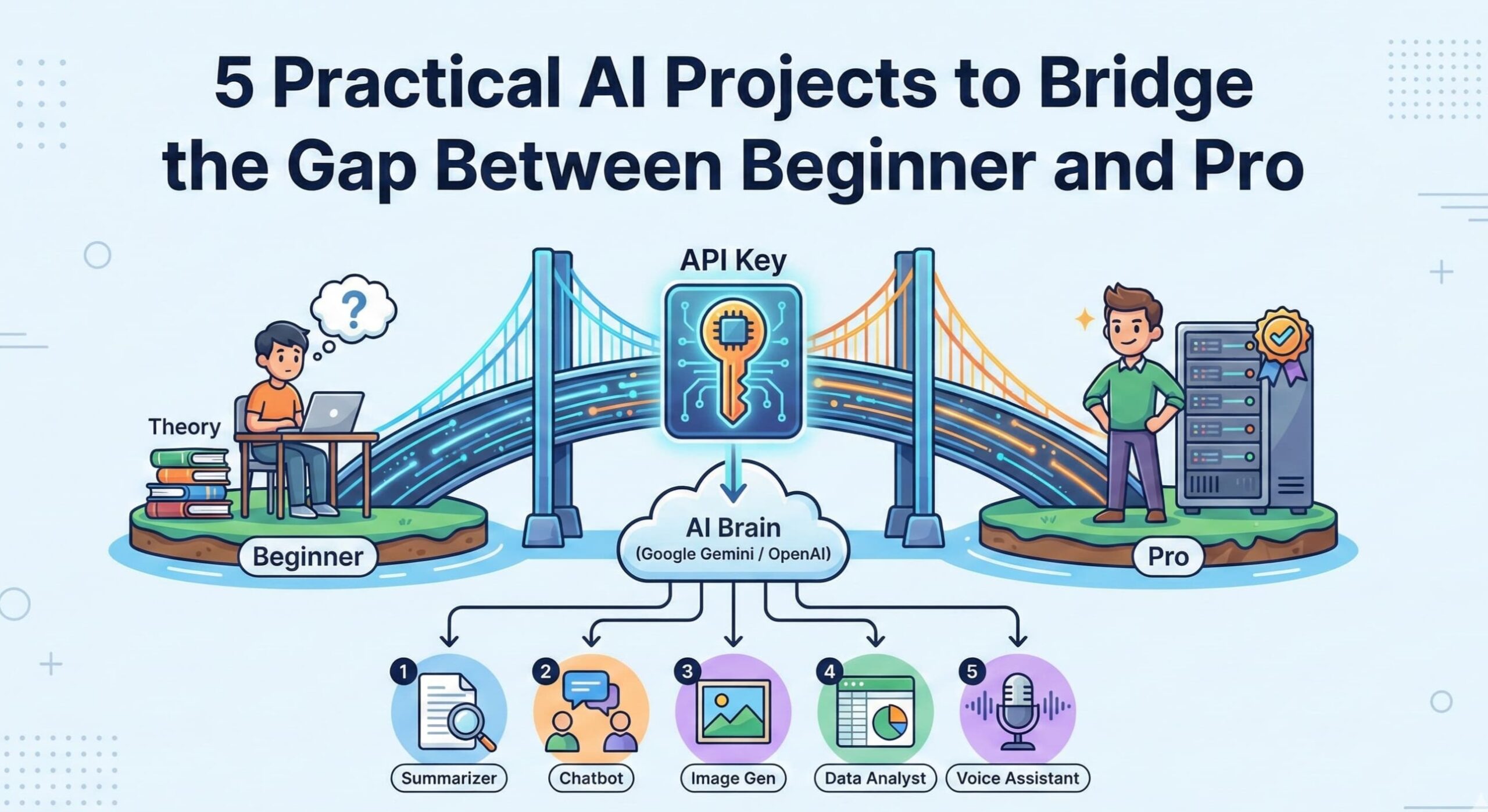
If you are trying to learn AI development, the worst thing you can do is overcomplicate it. You don’t need to build a robot or train a complex neural network from scratch to start. You just need to understand how to talk to an API.
Most modern AI development is simply sending data to a “brain” (like Google Gemini or OpenAI) and displaying the answer.
In this post, we will look at 5 practical projects that rely purely on an API Key. These are the perfect starting point to master the basics of prompts, responses, and data handling without getting overwhelmed.
Gemini Studio Free API Key – Gemini Studio
Why Start Simple?
Before you build complex apps (like RAG systems or Autonomous Agents), you need to master the fundamentals. These simple projects teach you the Core Loop of AI Engineering:
- Input: Getting text or data from a user.
- Prompt: Wrapping that input in specific instructions for the AI.
- Request: Sending it securely to the API.
- Response: Parsing the JSON result and showing it on the screen.
1. The YouTube Video Summarizer
The Problem: 1-hour tutorials are too long to watch.
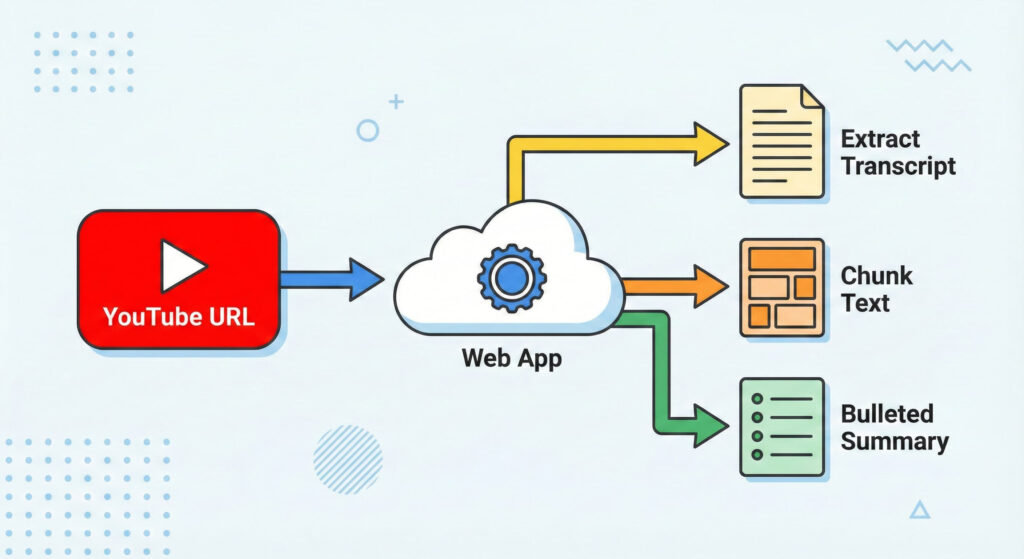
What You Make: A simple tool where you paste a YouTube Link, and it instantly gives you a 5-bullet point summary of the video (so you don’t have to watch it).
- The Logic: You cannot just send a video file to ChatGPT. You need to extract the text (transcript) first.
- What You Build: A simple web app where you paste a YouTube URL. The app outputs a clean, bulleted summary of the video.
- Key Skills You Learn:
- Python Libraries: Using
youtube-transcript-apito fetch subtitles. - Token Management: Transcripts are long! You will learn logic to “chunk” text if the video is over 20 minutes so you don’t hit API limits.
- Python Libraries: Using
2. The Smart Resume Screener
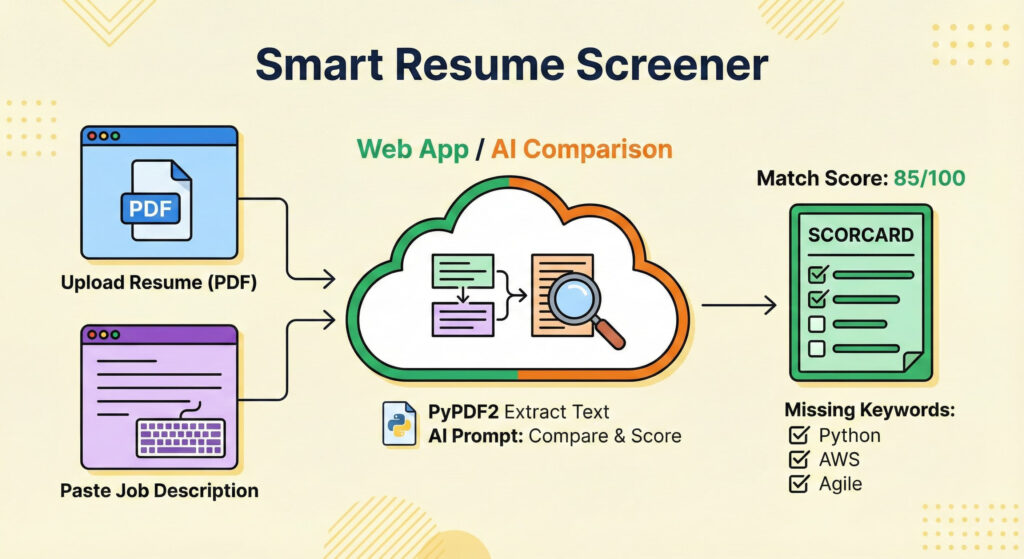
The Problem: HR managers get 500+ resumes and can’t read them all.
What You Make: A tool where you upload a PDF Resume and a Job Description. The AI compares them and gives a Match Score (0–100%) to see if the candidate is a good fit.
- The Logic: This requires comparing two different text inputs (the Resume and the Job) and scoring them against each other.
- What You Build: An uploader with two boxes: “Upload Resume (PDF)” and “Paste Job Description.”
- The Process:
- Use a library (like
PyPDF2) to extract raw text from the PDF. - Send both texts to the AI with the prompt: “Compare these two. Give a match score out of 100 and list 3 missing keywords.”
- Use a library (like
- Key Skills You Learn: File handling (PDF parsing) and prompting for structured output.
3. The AI Travel Itinerary Planner
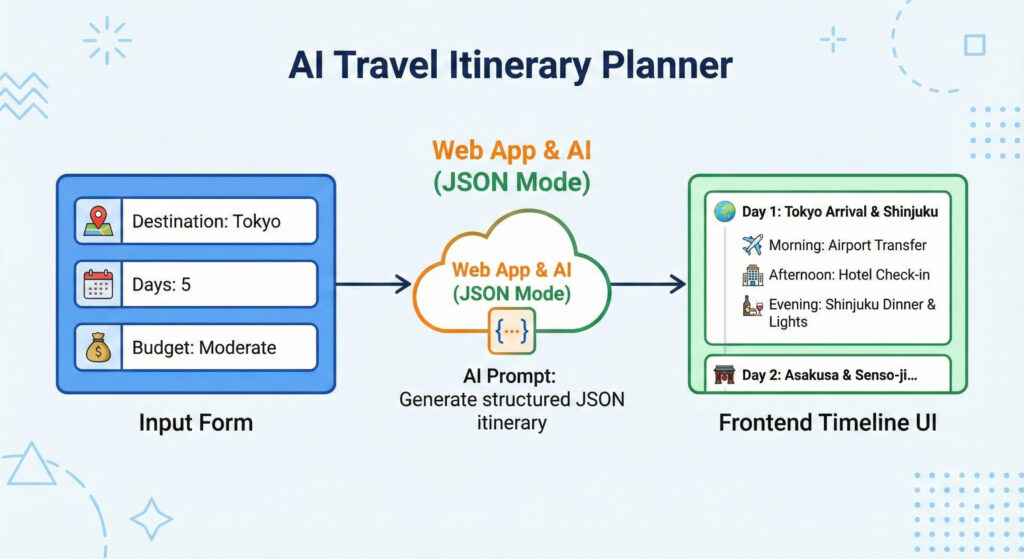
The Problem: Regular AI gives messy text when you ask for a plan.
What You Make: A travel app where you enter “Paris, 3 Days.” The AI outputs structured data (JSON) to create a beautiful Day-by-Day timeline (Day 1: Morning, Afternoon, Evening).
- The Logic: Forcing the AI to return strict JSON data so you can make it look pretty on the frontend.
- What You Build: A form asking: “Destination,” “Days,” and “Budget.”
- The Output: The AI must return a list like
Day 1: Morning, Afternoon, Evening. - Key Skills You Learn:
- JSON Mode: Learning how to force OpenAI/Gemini to output valid JSON.
- Frontend Rendering: Looping through that JSON to create a nice timeline UI.
4. The “Debate Partner” Bot
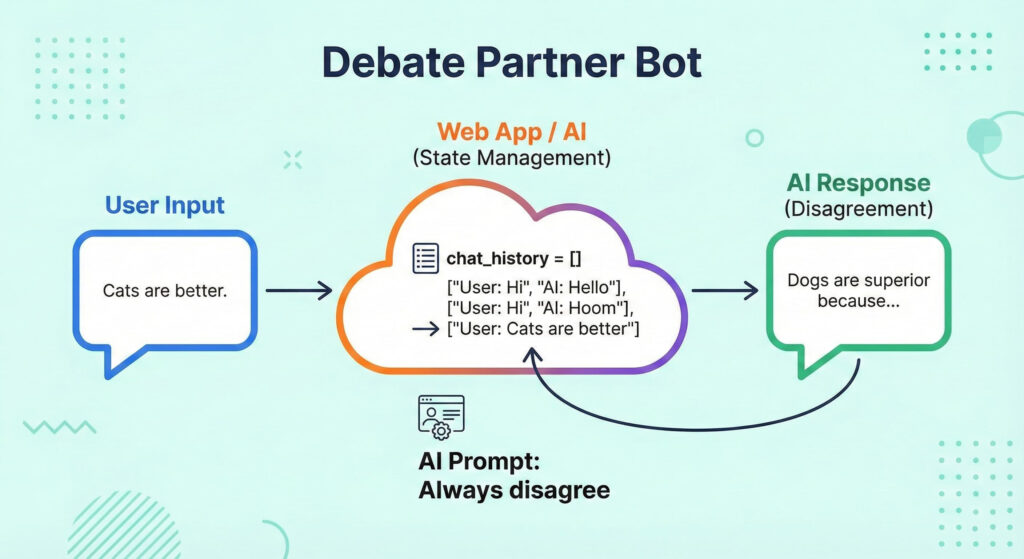
The Problem: Simple bots forget what you said 10 seconds ago (No Memory).
What You Make: A chat bot that remembers context. It keeps track of the whole conversation history so it can argue back and forth with you, acting like a stubborn opponent.
- The Logic: The AI needs to remember what you just said 10 seconds ago to refute it.
- What You Build: A chat interface where you pick a topic (e.g., “Cats are better than Dogs”). The AI will always disagree with you.
- The Process:
- You create a simple list variable:
chat_history = []. - Every time you talk, you append your text + the AI’s reply to that list.
- You send the whole list back to the API every time.
- You create a simple list variable:
- Key Skills You Learn: Managing Chat History arrays and Context Windows.
5. The Email Sentiment Sorter
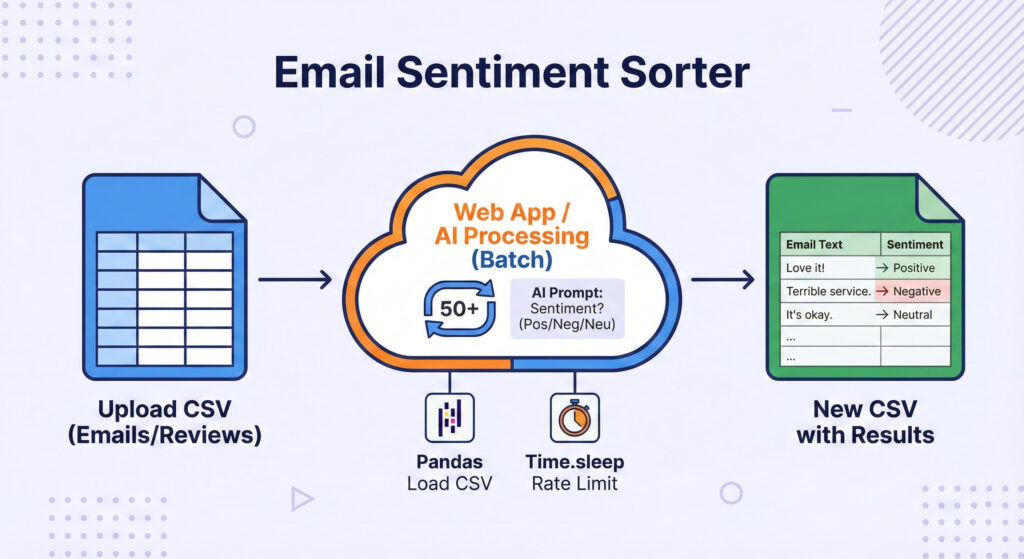
The Problem: You have a spreadsheet with 1,000 customer emails and can’t read them all to find the angry ones.
What You Make: A Python script that opens your spreadsheet, reads every email automatically, labels them as “Positive” or “Negative,” and saves a new file with the results.
- The Logic: Batch processing. You aren’t doing one email; you are looping through 50 or 100 rows of data.
- What You Build:
- You create a script where you upload a CSV file containing a list of customer emails or reviews.
- The script reads the file, checks the sentiment (Positive, Negative, or Neutral) for every single row, and saves a new CSV file with the results.
- The Process:
- Load CSV using Pandas.
- Loop through the list.
- Send each text to AI: “Is this Positive, Negative, or Neutral? Answer with one word.”
- Save the result into a new column.
- What You Learn:
- CSV Manipulation: Using the Pandas library to handle data.
- Rate Limiting: Learning how to pause your loop (using
time.sleep) so you don’t crash the API by sending 100 requests in 1 second.
Your Roadmap to Learning AI
Which project should I make first to learn AI?
Start with Project #1 (YouTube Summarizer). It is the most satisfying “quick win.” It solves a real problem (saving time), introduces you to using external libraries (youtube-transcript-api), and teaches you the basics of sending text to an LLM.
Do I need to pay for API keys?
Not necessarily.
Google Gemini: Currently offers a generous free tier for developers.
OpenAI: Usually requires a small credit deposit ($5), but it lasts a long time for text projects.
Groq: Offers very fast, free access to open-source models like Llama 3.
Which programming language is best for these projects?
Python. While you can use JavaScript (Node.js), Python is the industry standard for AI. Libraries like pandas (for Project 5) and PyPDF2 (for Project 2) are much easier to use in Python.
How do I handle data privacy with the Resume Screener?
Be careful. If you are using OpenAI or Google APIs, their terms often state they may use data for training (unless you have an Enterprise account). Never upload real, sensitive personal data (PII) to a public API for a practice project. Use fake sample resumes.
What if the AI gives me a wrong or weird answer?
This is called Hallucination. You can reduce this by improving your “System Prompt.” instead of just saying “Summarize this,” say: “You are an expert summarizer. Only use facts provided in the text. Do not invent information.”
Can I put these projects on my portfolio?
Yes! But don’t just upload the code.
Add a README.md file explaining your logic.
Record a short video (Loom) showing the tool working.
Explain why you built it (e.g., “I built the Email Sorter to help my friend’s business process feedback faster”).
I finished these 5. What is the next level?
The next step is RAG (Retrieval-Augmented Generation). This involves chatting with your own data without pasting it into the prompt every time. It requires learning about Vector Databases (like Pinecone) and Embeddings.
Conclusion
You don’t need a PhD to build useful AI tools. These 5 practical projects bridge the gap between “Hello World” and “Professional Engineer.”
They force you to deal with real-world messy data—PDFs, CSVs, and long transcripts—which is exactly what you will do in a real job.
Pick one project, get your API key, and start coding this weekend!