
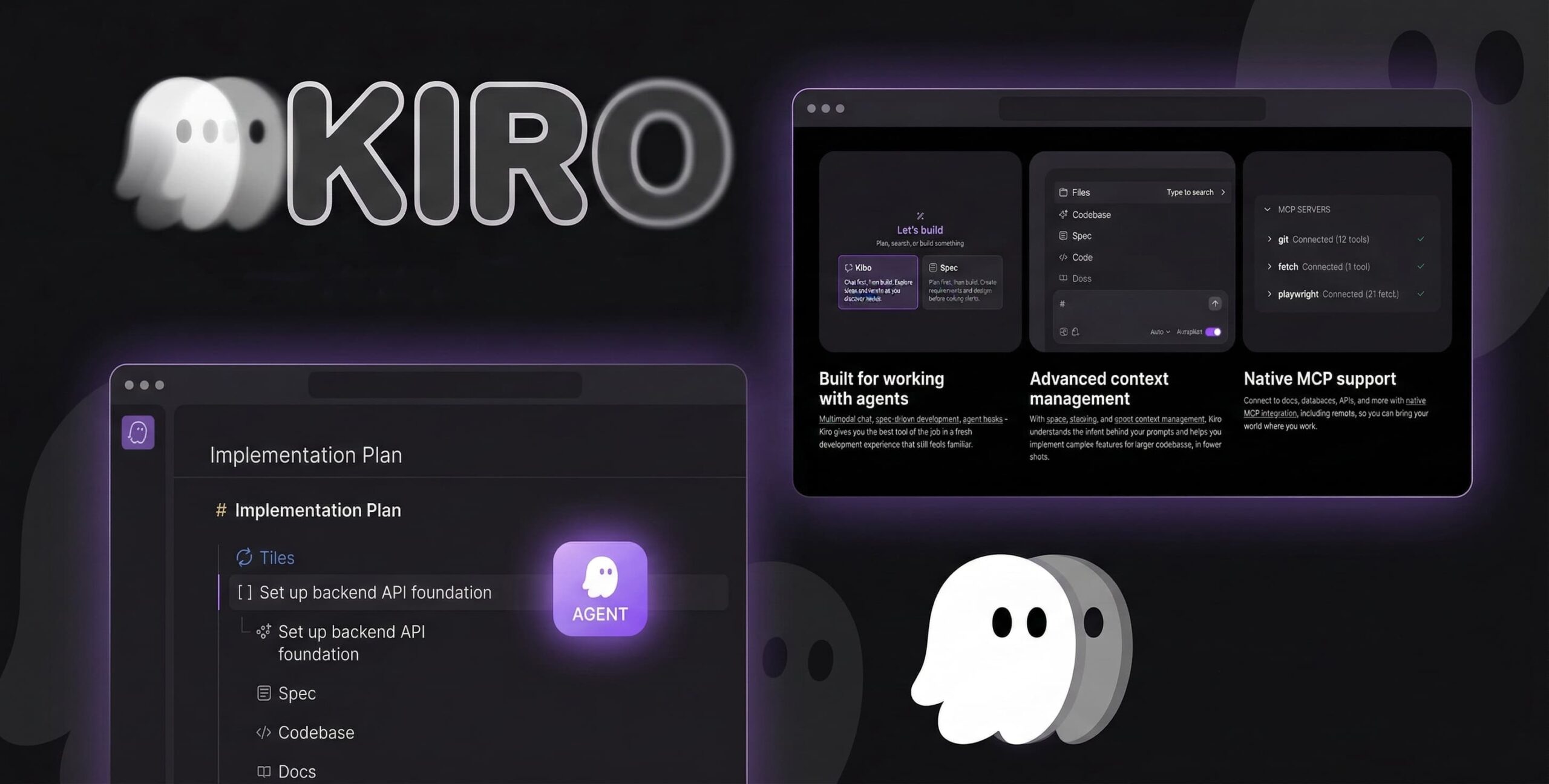
If you have ever used an AI coding assistant, you probably know the drill: you ask it to build a feature, it spits out 500 lines of code in seconds, and then you spend the next three hours trying to fix the bugs it created.
Enter the AWS Kiro IDE. Launched by Amazon Web Services in mid-2025, Kiro was built to solve the “fast but buggy” problem. Instead of guessing what you want, it forces the AI to create a detailed plan before it writes a single line of code.
What is AWS Kiro IDE?
At its core, the AWS Kiro IDE is an intelligent, agentic AI development environment built on top of the familiar VS Code foundation. Because it uses VS Code as its base, you get to keep all your favorite themes, extensions, and Git tools, but with a massive AI upgrade.
What makes it special is its “Agentic” nature. Standard AI tools just autocomplete your typing. Kiro acts more like a senior developer sitting next to you. It can autonomously write documents, trigger automated tests, run security checks, and handle complex full-stack logic without you needing to hold its hand every step of the way.
How the Spec-Driven Workflow Works
The biggest difference you will notice is Kiro’s “spec-driven” approach. It doesn’t jump straight into writing code. Instead, it follows a structured, step-by-step method:
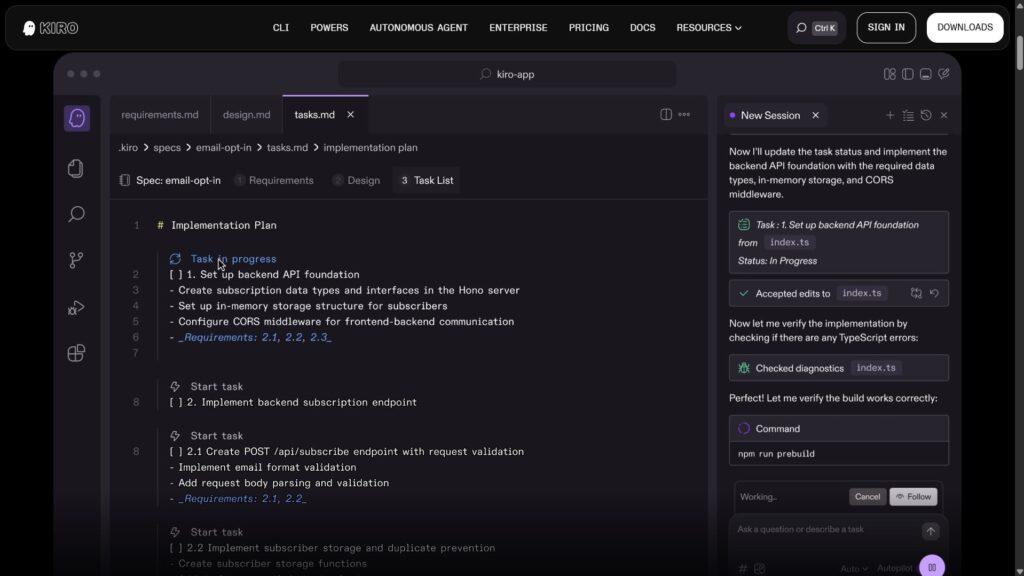
- Requirements Gathering: You type what you want (e.g., “Build a login page”). Kiro creates a
requirements.mdfile outlining the exact goals. - Technical Design: Next, Kiro generates a
design.mdfile. It maps out the database logic, APIs, and file structures it plans to use. - Task Execution: Finally, Kiro creates a
tasks.mdchecklist. It goes through this checklist line-by-line, writing the actual code.
Because it plans everything out first, the AI rarely loses track of the project’s architecture, making it perfect for complex apps.
My 4-Month Review: Is It Worth It?
I have been using the free tier of the AWS Kiro IDE for my personal projects over the last four months. Here is my honest, straightforward experience:
Incredible Accuracy: With other tools, I felt like I was constantly fixing sloppy errors. With Kiro, because it writes out a detailed plan first and executes tasks line-by-line.
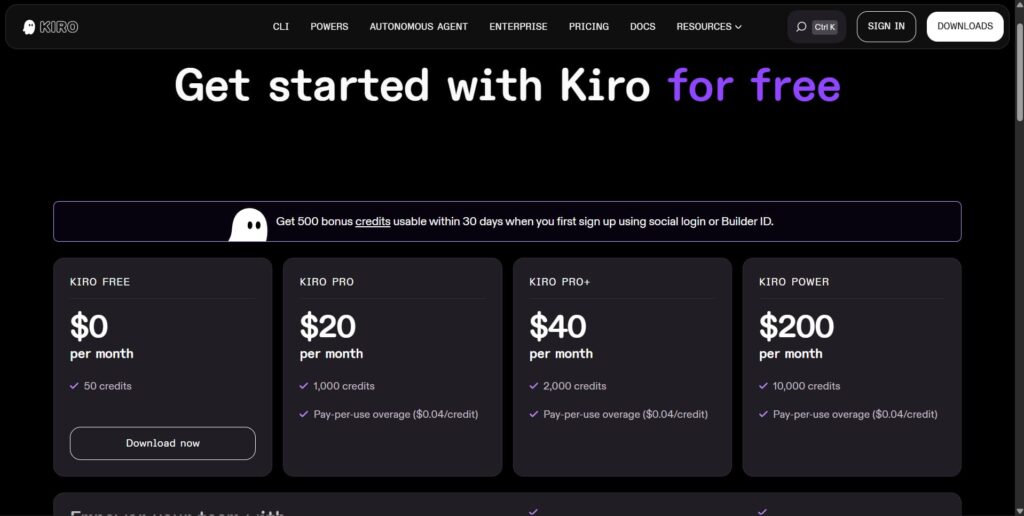
The Free Tier is Very Generous: For solo developers and personal projects, you really don’t need to upgrade to the paid version (which costs around $20/month). The free version gives you access to basic specs, chat, and task automation with limits.
𝗞𝗲𝘆 𝘁𝗵𝗶𝗻𝗴𝘀 𝗜 𝗳𝗼𝘂𝗻𝗱 𝘂𝘀𝗲𝗳𝘂𝗹:
✅ Spec-Driven Development – architecture planning before writing code
✅ Automatic testing scripts during development
✅ Advanced context understanding for larger projects
✅ Autopilot agent mode for bigger tasks
✅ Native MCP support to connect APIs, docs, and databases
✅ VS Code compatibility
The Catch (Speed): Kiro is not for quick, dirty prototyping. Because it takes the time to write out requirement documents and design files before coding, it can feel a bit slow at first. But trust me, trading 5 minutes of upfront planning for hours of saved debugging time is absolutely worth it.
Common Mistakes to Avoid
If you decide to try the AWS Kiro IDE, make sure you don’t fall into these beginner traps:
- Skipping the “Design” Step: It’s tempting to ignore the
design.mdfile Kiro generates. Always read it! If the AI plans to use a database you don’t like, correct it before it starts writing code. - Giving Huge Prompts: Don’t ask it to build “a whole social media app” in one sentence. Break it down into smaller, manageable features.
- Forgetting Context: Use Kiro’s ability to read external documentation and images. If you have a UI sketch, upload it to the chat to give the AI a visual guide.
Frequently Asked Questions (FAQ)
What exactly is the AWS Kiro IDE?
AWS Kiro is an agentic AI-powered Integrated Development Environment built on top of VS Code. Instead of just autocompleting your code, it acts like an autonomous AI engineer that writes detailed requirement and design documents before executing the code line-by-line.
How is Kiro different from tools like Cursor or GitHub Copilot?
Kiro focuses on “agentic autonomy.” It forces a disciplined, spec-driven workflow (planning first, coding second) which drastically reduces bugs and AI hallucinations in complex projects.
Does Kiro’s upfront planning phase actually help?
Yes, absolutely! By generating the requirements.md and design.md files first, Kiro acts like a senior engineer mapping out the architecture.
Does Kiro automatically break the project down into tasks?
Yes! Once the design is approved, Kiro creates a detailed tasks.md checklist. It then executes the code line-by-line based on those specific tasks, giving you full visibility over what is being built.
Can I skip the automated testing if I don’t want to use it?
100% yes. You are always in the driver’s seat. If you are building a quick prototype or simply prefer to test things manually, you can easily skip the testing tasks.
Conclusion: My 4-Month Verdict
After a 4-month test, I can confidently say the AWS Kiro IDE is completely different from traditional AI coders. I love it because it forces a “plan, design, and task” workflow before writing any code.
This upfront structure is a massive win-win: it gives me a clear project roadmap, and it gives the AI a strict blueprint so it doesn’t get confused. Because the AI knows exactly what to build, my mistake rate dropped. This precision saves massive debugging time, lowers costs, and makes the AI agents highly effective. Try the free tier it’s a total game-changer!